





Jaw Crusher Excessive Vibration and Abnormal Noise: Causes and Troubleshooting | HAMAC
Is your jaw crusher vibrating excessively or making an abnormal noise?
It may indicate a loose component, worn wear part, damaged bearing, drive problem, unstable foundation or abnormal feeding condition.
The most common causes include loose foundation or frame bolts, worn jaw plates, loose toggle plate components, bearing problems, flywheel imbalance, belt misalignment, oversized feed, uneven feeding, overload and blocked discharge flow.
This guide explains what excessive vibration and abnormal noise can cause, what the problem may be, how to inspect the crusher and when to stop operation.
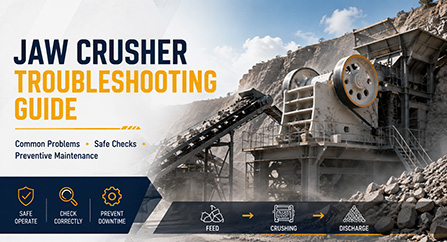
For a wider review of jaw crusher faults, read HAMAC’s Jaw Crusher Troubleshooting Guide.
What Can Excessive Vibration Cause?
Excessive vibration is not only a noise problem. If the root cause is not corrected, it may reduce production, accelerate wear and create secondary damage to the bearing, jaw plate, toggle system, belt, flywheel, frame or foundation.
| Possible Impact | What It Means for the Plant |
|---|---|
| Lower crushing efficiency | The crusher may process less material and produce a less consistent product. |
| Accelerated bearing wear | Vibration may increase bearing load, temperature and maintenance requirements. |
| Jaw plate and toggle damage | Loose or uneven components may create impact, cracking or abnormal wear. |
| Belt and pulley problems | Misalignment or incorrect tension may cause slipping, heating and premature wear. |
| Structural damage | Loose foundation bolts, frame movement or cracks may become more serious. |
| Unplanned downtime | A minor fault may develop into a long repair shutdown if the crusher continues operating. |
Vibration in crushing equipment can be related to mechanical fatigue, overload, bearing deterioration, shaft alignment, flywheel imbalance, feed conditions and foundation stability. Regular condition checks help identify developing problems before they cause major downtime.
When Should You Stop the Crusher?
Stop the jaw crusher immediately if vibration or abnormal noise is sudden, rapidly increasing or accompanied by severe impact, rising bearing temperature, smoke, burning smell, visible cracks or repeated overload trips.
Do not enter the crushing chamber, remove a blockage, touch the flywheel or inspect the belt while the machine is energized or capable of movement.
Before servicing or maintenance, follow the site-specific shutdown, isolation and lockout/tagout procedure. OSHA’s hazardous-energy-control standard covers servicing and maintenance where unexpected startup or release of stored energy could cause injury.
View the OSHA Control of Hazardous Energy Standard.
| Condition | Recommended Action |
|---|---|
| Small, stable vibration with no abnormal noise | Record the normal baseline and inspect during planned maintenance. |
| Noise becomes louder as feeding increases | Stop or reduce feeding safely and check overload, feed size and discharge flow. |
| Metallic impact, grinding or knocking sound | Stop, isolate and inspect the relevant components before restarting. |
| Vibration with rising bearing temperature | Stop normal operation and arrange qualified mechanical inspection. |
| Smoke, burning smell, severe shaking or visible structural damage | Stop immediately and follow the emergency shutdown and isolation procedure. |
What Is Causing the Problem?
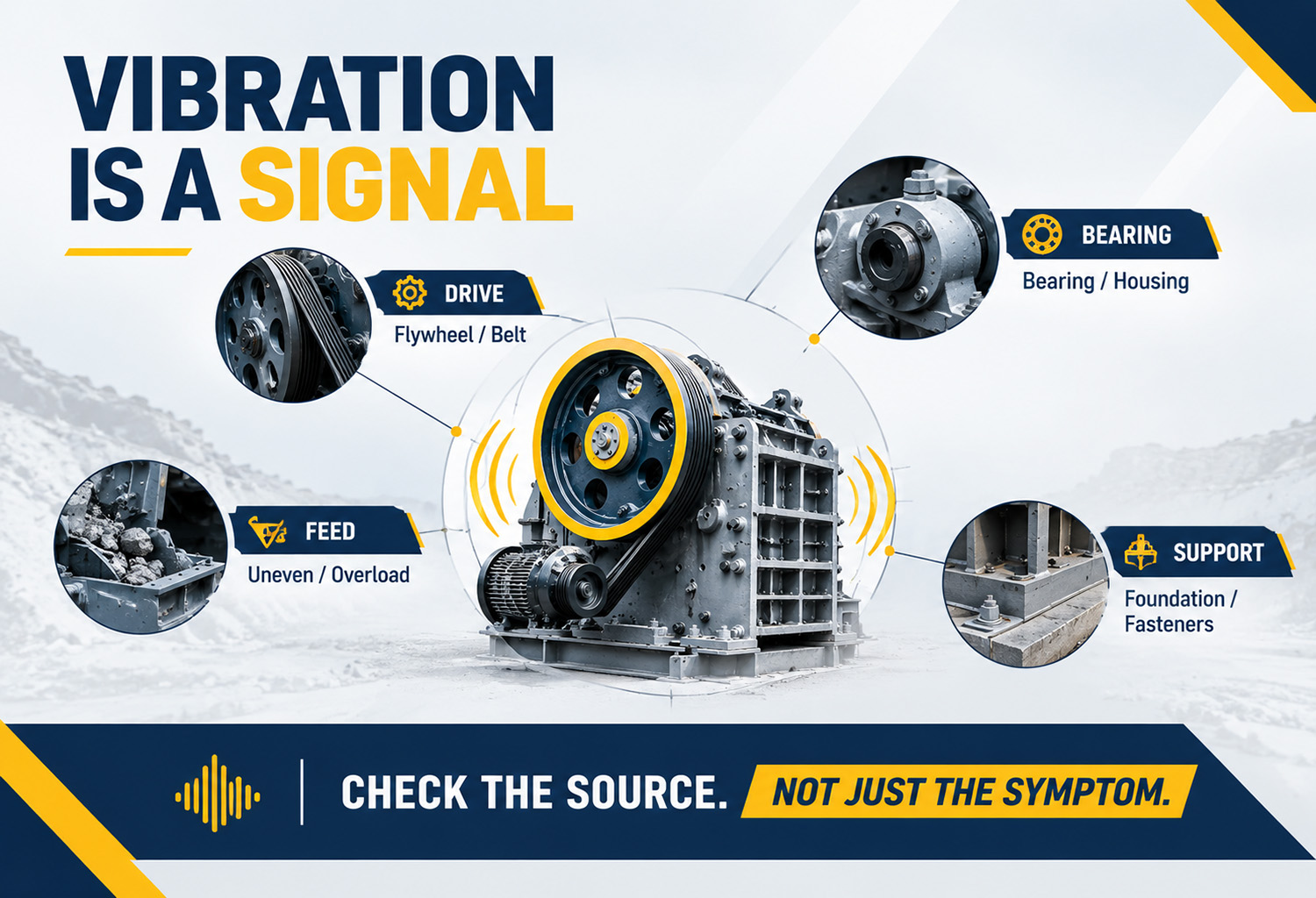
The source of jaw crusher vibration and abnormal noise can usually be divided into four areas: loose or worn mechanical parts, bearing and drive problems, unstable feeding and foundation or installation problems.
| Observed Symptom | Likely Problem |
|---|---|
| Sudden strong vibration | Loose foundation bolts, flywheel imbalance, severe overload or structural damage. |
| Metallic knocking | Loose jaw plate, toggle plate, bolt, guard or foreign material in the chamber. |
| Grinding or rumbling | Bearing wear, insufficient lubrication, contamination or rubbing components. |
| High-pitched squealing | Belt slipping, excessive belt tension, pulley misalignment or bearing distress. |
| Vibration only during feeding | Oversized feed, uneven feeding, bridging, wet material or overload. |
| Vibration after installation or relocation | Uneven foundation, poor leveling, incorrect alignment or loose supports. |
Loose or Worn Components
Loose jaw plate bolts, toggle plate components, guards, foundation bolts or bearing-housing fasteners can create knocking or rattling sounds.
Worn jaw plates, bearings, flywheel bushings, adjustment components or toggle parts may create grinding, impact or repeated vibration.
If the noise started after maintenance or wear-part replacement, check the installation, tightening, clearance and alignment before replacing additional parts.
Feed and Overload Problems
Oversized rock, sudden feed surges, uneven material distribution, chamber bridging and blocked discharge can create unstable crushing forces.
If vibration appears mainly when feeding hard or oversized material, check the feed and discharge system before assuming that the bearing or flywheel has failed.
HAMAC vibrating feeders are designed to deliver material continuously and evenly from the hopper to the crusher. Stable feeding can help reduce empty running, sudden surges and uneven loading.
Drive, Bearing and Foundation Problems
Belt misalignment, excessive belt tension, bearing damage, flywheel imbalance, weak foundation support and poor leveling can create vibration even when the feed is normal.
A vibration that continues during no-load operation should be treated as a possible mechanical or installation problem. Do not continue running the crusher only because the feed has been stopped.
How to Inspect a Vibrating Jaw Crusher
Start with external and operating checks before opening the crusher or replacing parts. Use the following sequence to locate the likely source.
| Inspection Order | What to Check | What the Result May Indicate |
|---|---|---|
| 1. Stop and isolate | Stop feeding, shut down the crusher and isolate hazardous energy. | Prevents unexpected startup and stored-energy injuries. |
| 2. Identify the sound | Record whether the noise is knocking, grinding, rattling, squealing or rumbling. | Helps narrow the inspection area. |
| 3. Check foundation and bolts | Inspect anchor bolts, frame bolts, guards and support points. | Loose or unstable components may cause shaking and impact noise. |
| 4. Check jaw plates and toggle parts | Look for looseness, cracks, uneven wear or foreign material. | May explain metallic knocking or grinding. |
| 5. Check bearings | Compare temperature, noise, vibration and grease condition. | May indicate lubrication problems or bearing damage. |
| 6. Check belts and flywheel | Inspect tension, alignment, belt wear, pulley buildup and flywheel movement. | May identify drive vibration or imbalance. |
| 7. Check feed and discharge | Review oversized rock, feed surges, bridging and blocked chutes or conveyors. | May identify an operating overload rather than a mechanical failure. |
Use This Simple Diagnosis Logic
Noise at no load: Check bearings, belts, flywheel, foundation and loose components.
Noise only during feeding: Check feed size, feed distribution, bridging, overload and discharge flow.
Noise plus rising bearing temperature: Stop normal operation and inspect lubrication, bearing condition and belt load.
Noise after maintenance: Review installation, alignment, tightening, clearance and lubrication.
Noise with visible cracks, smoke or severe vibration: Stop immediately and arrange qualified technical inspection.
How to Fix the Problem
| Confirmed Problem | Corrective Action |
|---|---|
| Loose bolts or guards | Tighten or replace the affected fasteners according to the equipment procedure. |
| Loose or worn jaw plates | Secure, rotate or replace the jaw plates according to the model-specific instructions. |
| Damaged bearing | Stop operation and replace the bearing after checking the shaft, housing, lubrication and alignment. |
| Belt misalignment or incorrect tension | Align the pulleys and adjust belt tension according to the drive requirements. |
| Flywheel imbalance or loose key | Inspect the flywheel, hub and key; rebalance or replace damaged parts professionally. |
| Oversized or unstable feed | Control maximum feed size, stabilize the feeder and prevent sudden feed surges. |
| Blocked discharge | Stop, isolate and clear the chute, conveyor or screen before restarting. |
| Foundation or installation problem | Correct leveling, support, anchor bolts or alignment before returning to production. |
Do Not Replace the Bearing Without Finding the Cause
A new bearing may fail again if the original problem is excessive belt tension, poor alignment, contaminated grease, overload, flywheel imbalance or a weak foundation.
Before installing a new bearing, inspect the shaft, bearing housing, lubrication system, seals, belt tension, pulley alignment and recent operating conditions.
How to Check the Main Fault Areas
1. Check the Foundation and Bolts
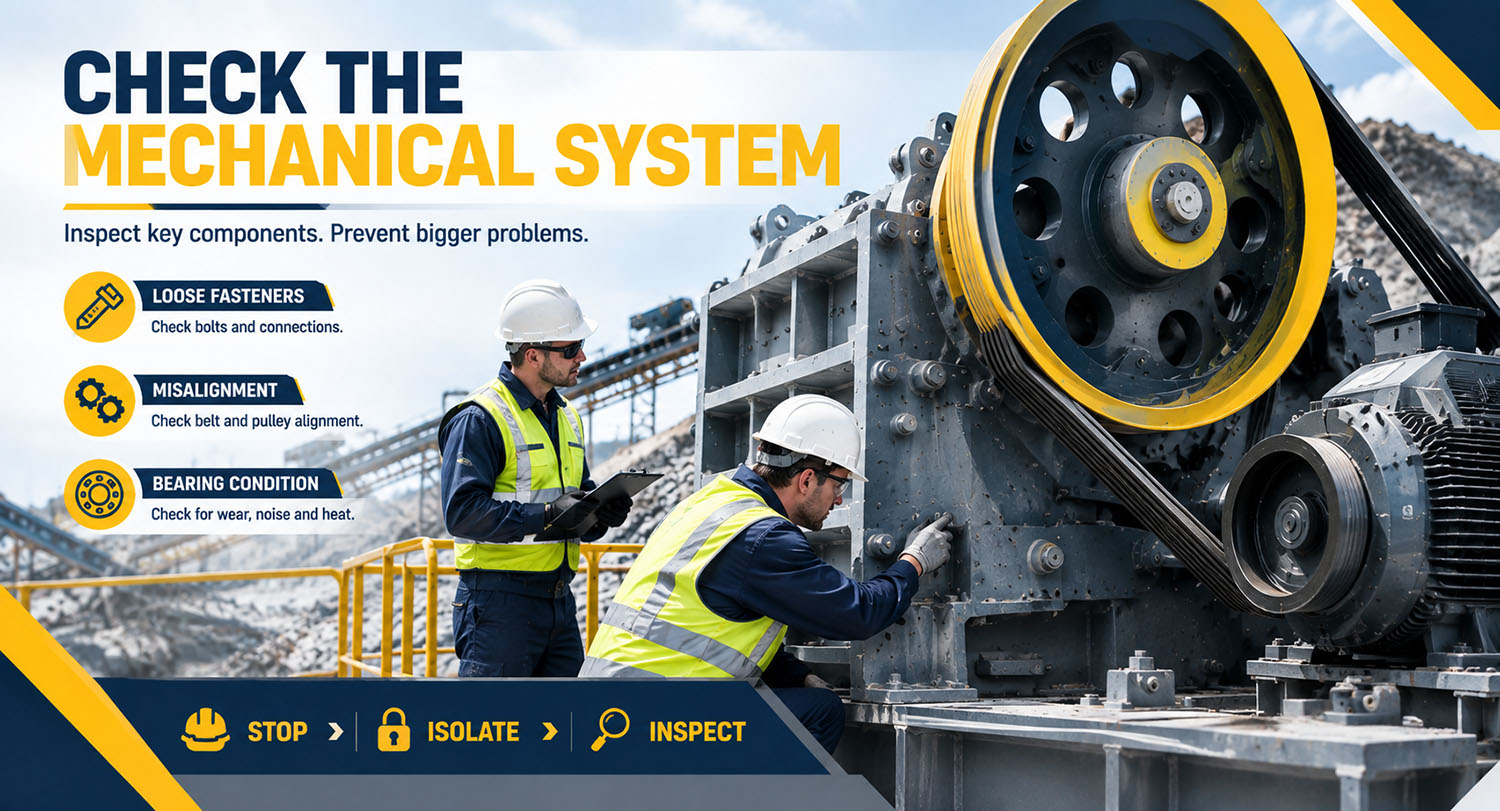
After shutdown and isolation, inspect the foundation anchor bolts, frame bolts, motor base bolts, bearing-housing fasteners, guards and support points.
Look for loose fasteners, cracks, uneven contact, movement marks and damaged support surfaces.
Do not tighten bolts using unknown torque values. Follow the maintenance procedure for the actual crusher model.
2. Check the Jaw Plates and Toggle System
Inspect the fixed jaw plate, movable jaw plate, jaw plate bolts, toggle plate, toggle seats, adjustment wedges and cheek plates.
Look for looseness, cracks, missing fasteners, uneven wear, metal contact marks and foreign material inside the crushing chamber.
A metallic impact that began after jaw plate replacement should be investigated before the crusher returns to normal production.
For wear-part inspection and replacement planning, read HAMAC’s Jaw Plate and Cone Crusher Liner Wear Guide.
3. Check the Bearings
Compare the temperature and sound of both bearing locations. Check for grinding, rumbling, squealing, abnormal grease, leakage or visible damage.
| Combined Symptom | Possible Cause | Recommended Direction |
|---|---|---|
| Grinding noise and high temperature | Insufficient lubrication, contamination or bearing damage | Stop if the condition is increasing and arrange inspection. |
| High-pitched noise after greasing | Wrong grease, excessive grease or lubrication-path problem | Do not continue adding grease blindly. |
| Vibration and temperature rise at one bearing | Local bearing damage, misalignment or uneven load | Compare both sides and check the drive and feed. |
| Vibration appears after bearing replacement | Incorrect fit, alignment, clearance or installation | Review the complete installation process. |
Temperature alone does not confirm bearing failure. Use temperature, vibration, sound, lubricant condition, clearance and maintenance history together.
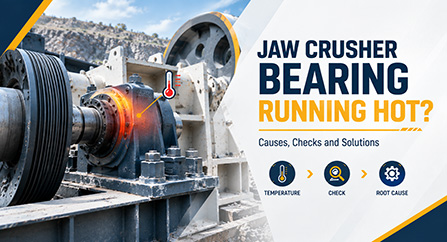
For more information, read HAMAC’s Jaw Crusher Bearing Overheating Guide.
4. Check the Belts and Pulleys
Inspect the drive belts and pulleys after shutdown and isolation.
- Check whether the belt is too loose or too tight.
- Check whether the pulleys are aligned.
- Look for belt slipping, glazing, cracking or burning.
- Check for material buildup on the pulley.
- Inspect the motor base and drive-support fasteners.
- Check whether the belt runs to one side.
A loose belt can slap or slip. An excessively tight belt can increase radial load on the shaft and bearings. Pulley misalignment can create vibration, abnormal noise and premature belt wear.
5. Check the Flywheel
Inspect the flywheel for abnormal movement, material buildup, loose keys, damaged hubs, cracks and signs of misalignment.
Vibration that continues during no-load operation may indicate a flywheel, pulley, bearing, shaft, foundation or rotating-assembly problem.
Do not attempt to balance or reposition a heavy flywheel without suitable lifting equipment, alignment tools and qualified personnel.
6. Check the Feed and Discharge System
Check the complete material flow:
Feeder → Jaw Crusher → Discharge Chute → Conveyor → Screen → Stockpile or Secondary Crusher
| Operating Problem | Possible Effect | First Check |
|---|---|---|
| Oversized feed | Impact loading, bridging and unstable crushing forces | Largest occasional rock and upstream breaking |
| Uneven feeding | Uneven loading and vibration on one side | Feeder rate, hopper flow and feed position |
| Wet or clay-rich material | Packing, restricted flow and discharge buildup | Material moisture, clay and chute condition |
| Blocked discharge chute | Crusher backs up and operates under abnormal load | Chute, conveyor and transfer point |
| Screen or stockpile bottleneck | Crusher feed must be reduced or stopped | Screen loading and stockpile capacity |
How to Prevent Repeat Vibration
| Prevention Area | Recommended Practice | Record to Keep |
|---|---|---|
| Foundation | Inspect level, support points, anchor bolts and visible cracks. | Inspection date and repair history. |
| Fasteners | Check frame, jaw plate, guard, bearing and drive fasteners. | Loose parts and tightening work. |
| Flywheel | Inspect buildup, keys, hubs, alignment and abnormal movement. | Inspection photos and findings. |
| Bearings | Monitor temperature, vibration, sound, grease and seals. | Temperature and vibration trend. |
| Belts | Maintain correct tension, alignment and matched belt condition. | Tension adjustment and replacement record. |
| Feeding | Control maximum feed size and maintain centred, continuous feed. | Feed size, feed rate and overload events. |
| Discharge | Keep chute, conveyor, screen and stockpile flow clear. | Blockage frequency and downtime. |
| Wear parts | Inspect jaw plates, toggle components and adjustment parts. | Wear profile, cracks and replacement date. |
Frequently Asked Questions
Why is my jaw crusher vibrating excessively?
Excessive vibration may be caused by loose foundation bolts, flywheel imbalance, worn bearings, misalignment, damaged jaw plates, uneven feeding, oversized material, overload or a blocked discharge path.
Why is my jaw crusher making a knocking sound?
A knocking sound may indicate a loose jaw plate, toggle plate component, bolt, guard, foreign material or damaged internal part. Stop and isolate the crusher before inspection.
Can worn jaw plates cause abnormal noise?
Yes. Worn, cracked or loose jaw plates can create impact, rubbing or grinding noise. Uneven wear may also create uneven crushing forces and vibration.
Can a bearing cause jaw crusher vibration?
Yes. Bearing damage, insufficient lubrication, contamination, incorrect installation and abnormal clearance can create vibration, noise and rising temperature.
Can oversized feed cause jaw crusher vibration?
Yes. Oversized or irregular rock can create impact loading, bridging and unstable crushing forces. Compare the largest occasional rock with the crusher’s approved feed-size range.
Can a loose belt cause jaw crusher vibration?
Yes. A loose belt can slip or slap, while excessive tension can increase the load on the shaft and bearings. Pulley misalignment can also create vibration and abnormal noise.
How can I reduce jaw crusher vibration?
Control feed size and feed rate, inspect loose parts, maintain correct belt alignment, monitor bearings, check the flywheel, maintain the foundation and keep the discharge path open.
What is the first thing to check when a jaw crusher becomes noisy?
Identify when the noise occurs and where it comes from. Then check feed conditions, discharge flow, bearing temperature, belt condition and loose components after the crusher has been safely stopped and isolated.